For sales managers & owners

Your reps will actually fill this one.

The reason your CRM is empty isn't discipline. It's typing. Warp Notes gets filled by talking for forty seconds in the parking lot β€” so the field activity you've been asking for finally shows up.

Start 14 days free Email us
Full Business tier, no card, no call required
β€œHow did it go at Bingham?” is a question you shouldn't have to ask. You paid for a system that was supposed to answer it.
Reps don't skip the CRM because they're lazy. They skip it because logging a call costs them fifteen minutes at nine at night, and nothing they type ever comes back to help them.

The report that shows up before your first call

Yesterday's field activity, grouped by rep, in your inbox on weekday mornings. Nobody had to run it, build it, or remember to.

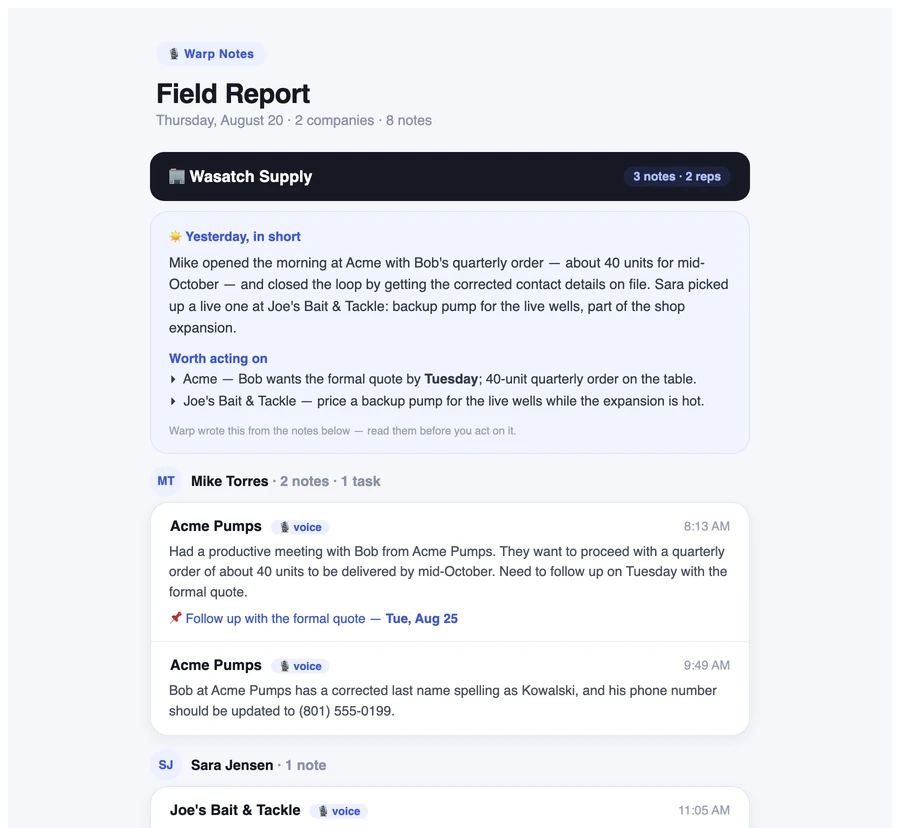
The Warp Notes Field Report email: a day's activity for two companies, with a "Yesterday, in short" summary, a "Worth acting on" list, and each rep's notes with times and follow-ups.

Written from what your reps actually said

Every note from yesterday, under the rep who recorded it, with the time, the account, and the follow-up it created. Above it, a short read on the day's shape β€” and Worth acting on, the two or three things that need you.

It tells you where it got that from, every time: β€œWarp wrote this from the notes below β€” read them before you act on it.” The summary is a convenience. The notes are the record, and they're right underneath.

Weekday cadence. Scoped to a territory if you use them. Opt-in per person β€” and as the owner you can copy it to up to ten more addresses, including people who don't use the app.

One book of business β€” that the company keeps

The part that matters when someone leaves.

Territories, without a week of setup

Assign a patch. Or don't.

Give each rep a home territory and they see theirs; give them see-all and they get a Mine / All toggle. New accounts route themselves using rules you write in plain English β€” no builder, no drag-and-drop boundaries, no admin certification.

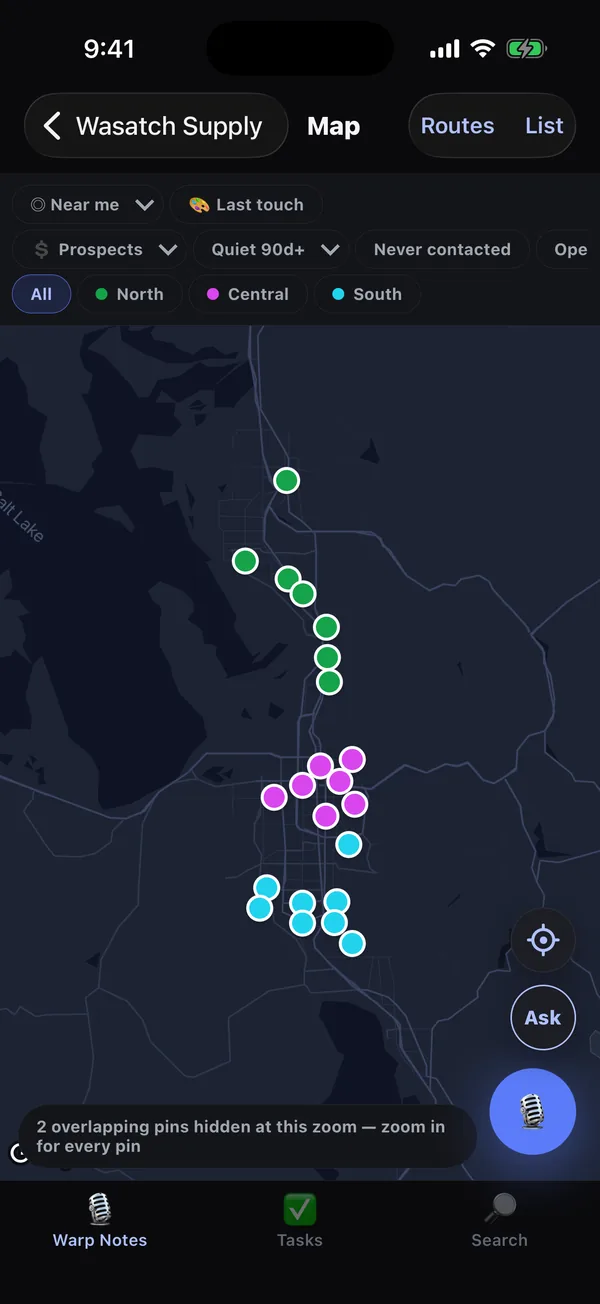
On the map, pins wear their territory color. One chip away, they wear last touch instead β€” quiet accounts turn red before they go cold, and never-contacted ones stand out grey.

Said plainly: territories organize what a rep sees day to day. They are not a security wall β€” every member of a workspace can reach that workspace's data. If you need reps walled off from each other's accounts, we're not the right tool yet, and we'd rather you knew now.

The workspace map with customer pins colored by territory and North, Central and South filter chips.
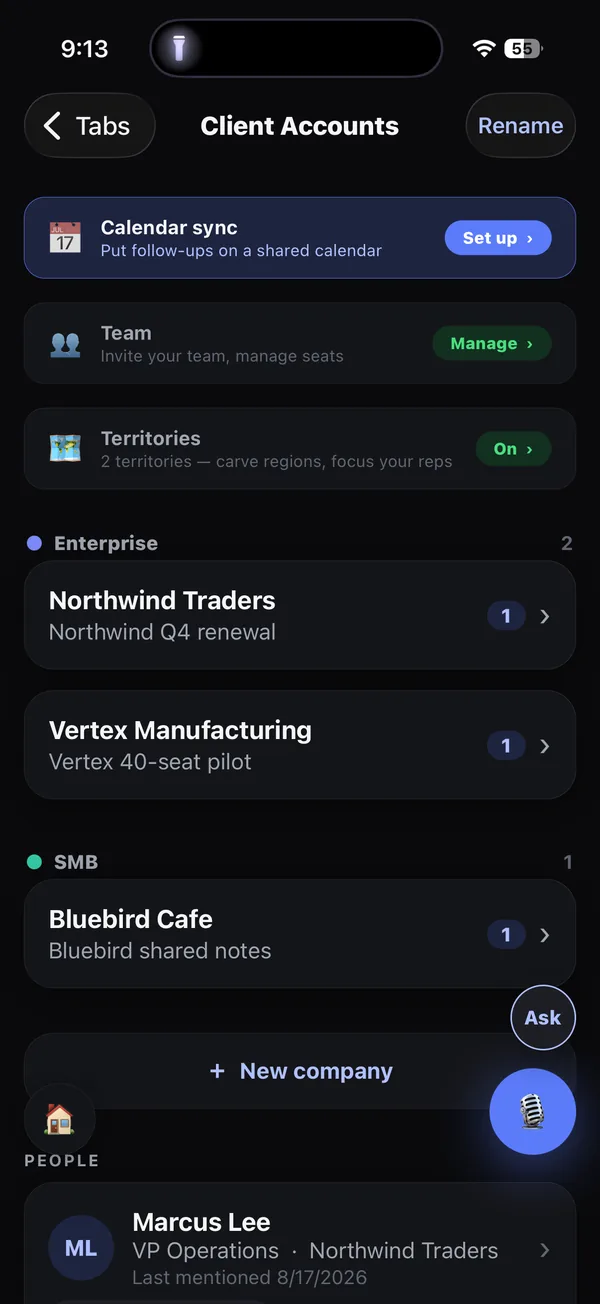
A Warp Notes workspace with its setup rows β€” calendar sync, team, territories β€” above the client account list.

Setup is a short list, and it tells you what you haven't done

Team, territories, the Field Report, calendar sync, importing your accounts, putting them on the map β€” all of it sits under one row in the workspace, each item marked when it's still unconfigured. Reps don't see the owner's rows at all.

Invite a rep by email. They install the app, tap the link, and they're recording into your book the same morning.

What you get today, and what you don't

We'd rather lose a sale here than in week two.

What a manager wantsWhere it is today
Yesterday's activity by repThe Field Report email, weekday mornings β€” and every one of those emails opens a web page with the month behind it
Which accounts are going quietIn the app β€” the map's last-touch coloring and its quiet / never-contacted filters
Coverage across a territoryIn the app β€” the workspace map, filtered per territory
Open follow-ups across the teamIn the app β€” the Tasks tab
Adding reps, seats, territories, importsIn the app, owner-only
Last month, not just yesterdayOn the web, from the email. Tap the link in any Field Report and you get that morning's report plus the thirty days behind it β€” overdue commitments and what's worth acting on at the top, accounts going quiet, notes per rep week over week, and the whole window grouped by rep, by company or by day. No login, nothing to set up.
A web dashboard to log intoNot yet. The page above is read-only and arrives by link. A console you sign into β€” for imports, territories and seats at a desk instead of on a phone β€” is what comes after. Everything else here works on a phone or an iPad today.

And how many teams are running this today: none yet. One outside rep in wholesale distribution has run their territory on Warp Notes since August β€” a couple of thousand accounts, more than a hundred calls logged, and more of them every week than the week before. What nobody has done yet is put a second rep in a shared workspace. Territories, the Field Report and the shared book are built and tested; you'd be the first team to run them for real.

You'd find that out in week two anyway. We'd rather you heard it here, while the fourteen days are still free.

Terms that don't need a phone call

Priced the same for everyone, cancellable by you, in the app.

The half that decides whether any of it works

A manager's real risk isn't the dashboard. It's buying something the reps quietly refuse to use.

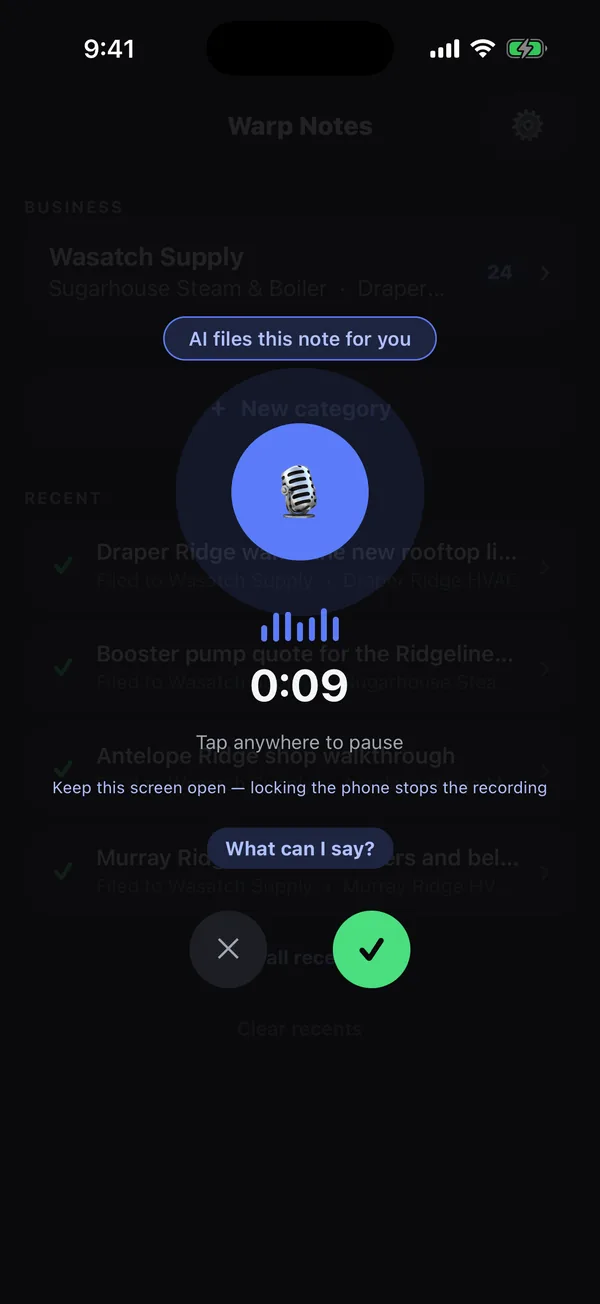
The recording screen mid-take, nine seconds in.
Forty seconds, standing at the truckOne tap. No form, no required fields, no dropdown for call type.
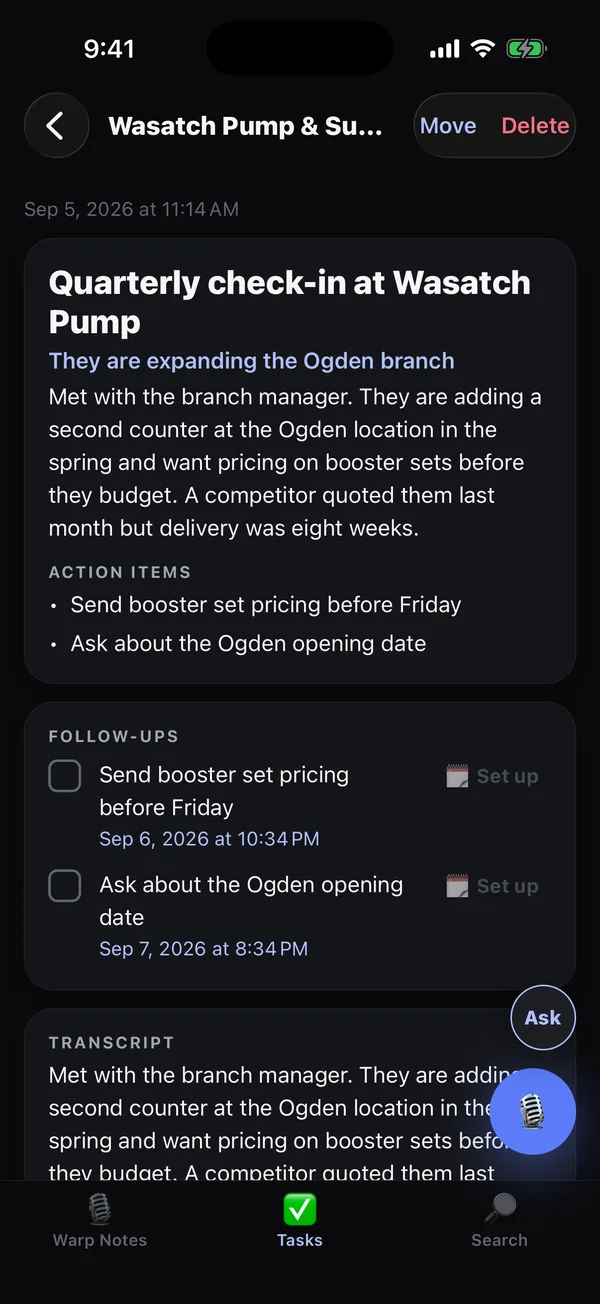
A finished note with its AI title, action items, follow-ups and transcript.
It pays the rep backTheir follow-ups become reminders and real calendar events β€” so filling it in is the fastest way to not forget something.
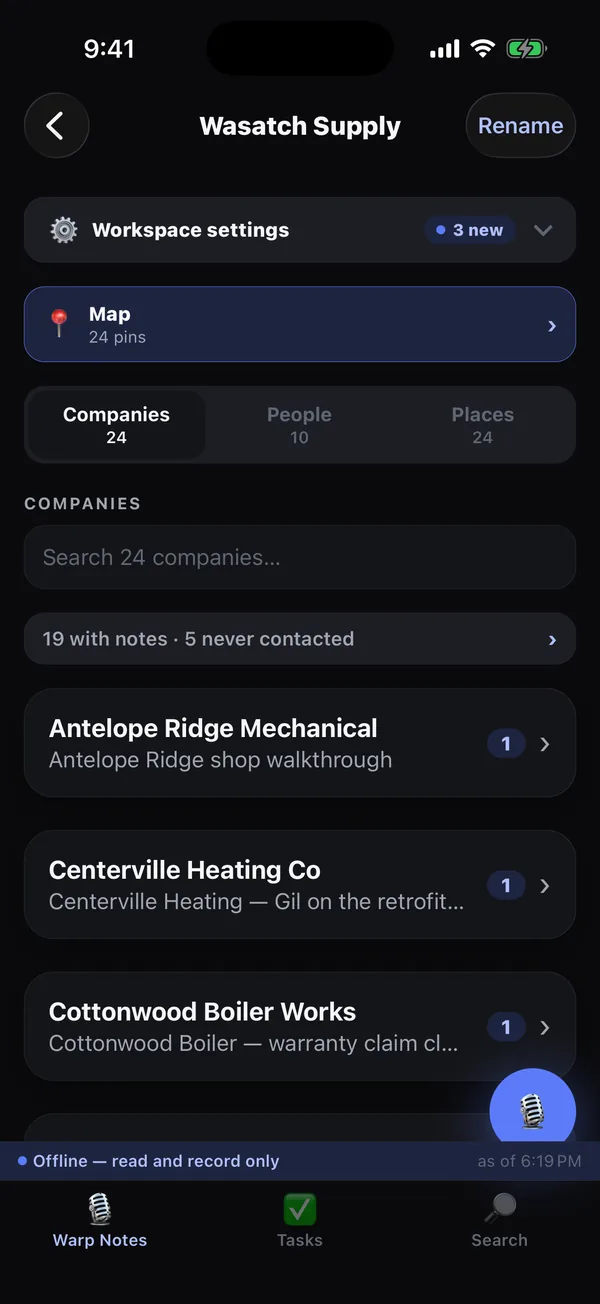
The workspace with an offline strip reading "Offline β€” read and record only".
It works past the last towerThe whole book of business is on the phone. Recording in a dead spot isn't a lost note.

See the rep's side of it →

Questions managers ask

How long before my team is actually using it?

Install, invite by email, and reps are recording the same morning β€” there's nothing for them to learn beyond tapping a mic. The owner-side setup (territories, importing your accounts, turning on the Field Report) is a short list of rows in the workspace, and most teams do it in an afternoon.

Can we bring our current CRM's data across?

Yes β€” a CSV export from your existing system imports as companies, contacts, notes and to-dos, with addresses ready to put on the map. There's also an optional paid Smart Scan ($49, one time) that reads the prose in imported notes and pulls out the people and details inside them.

Do we have to replace our CRM?

Most teams don't, at first. Warp Notes becomes the thing that actually gets filled in the field while the office keeps whatever it runs on. If it ends up being the only one anybody opens, that's a decision you can make later. And the two can talk: a Business workspace can send every note into HubSpot or Salesforce as it finishes, through Zapier or Make, so the office CRM fills itself. The step-by-step guide, with screenshots.

What happens when a rep leaves?

The workspace keeps everything they contributed β€” accounts, notes, contacts β€” with their name still on it. Remove their seat and you stop paying for it. Nothing walks out on a phone.

Is there a web dashboard?

Not yet, and we'd rather say so than imply otherwise. Today the manager's view is the morning Field Report email plus the app itself, which runs on an iPad as well as a phone. A web view is what we're building next, starting with the Field Report and its archive.

Can I see what a rep sees, or only my own territory?

As the owner you can see everything. Per rep you choose: a home territory only, a territory plus a Mine / All toggle, or everything. Just note that territories are a viewing lens rather than a lock β€” see the note above.

Does it record phone calls or listen in the background?

No. A rep taps the mic, talks, and it stops when they stop. Nothing is ever captured that they didn't start themselves β€” which is also why it's an easy thing to hand a team.
Find out what your reps have been doing.

Fourteen days, the full Business tier, no card. If they don't fill it, you've lost nothing but a fortnight.