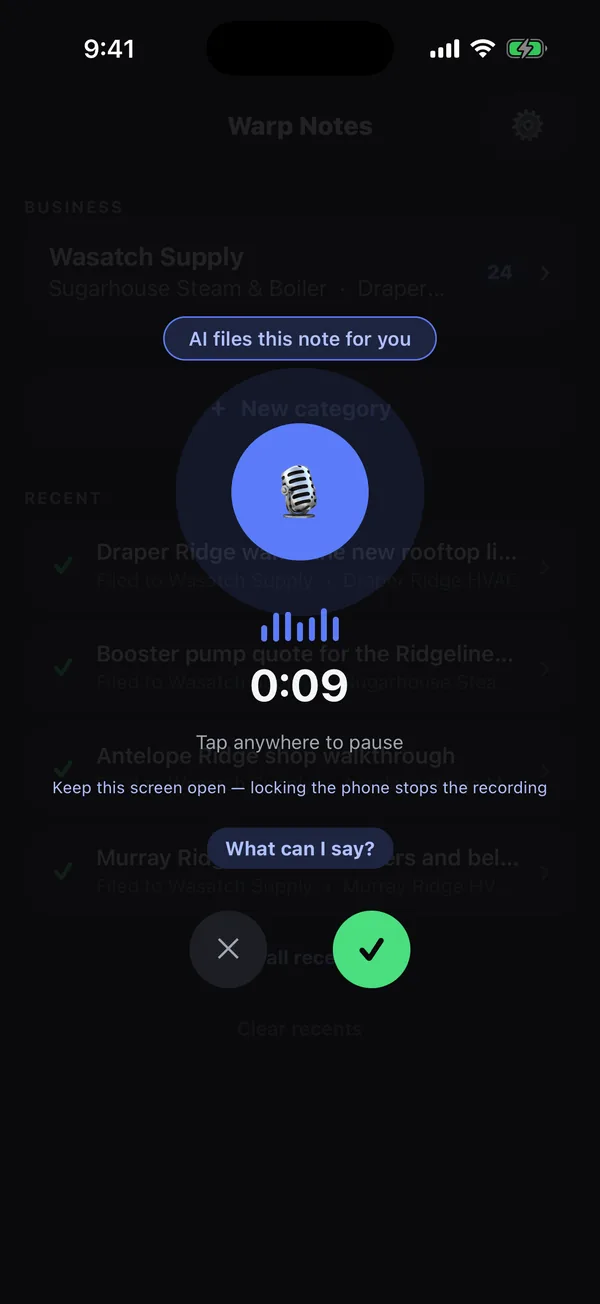
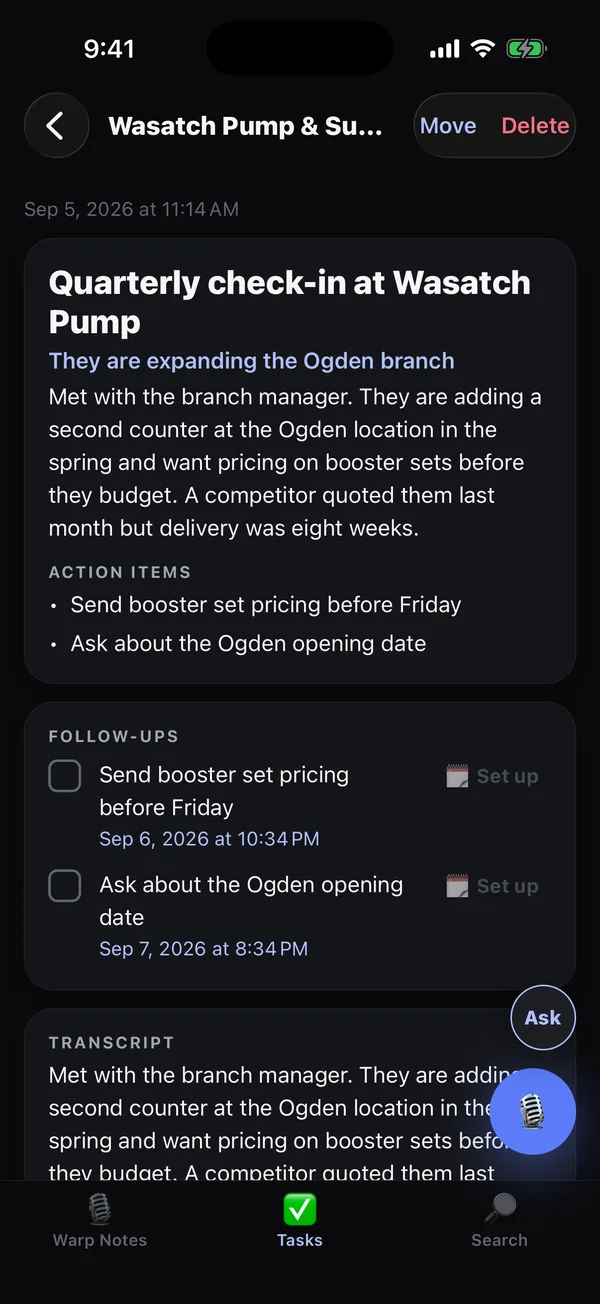
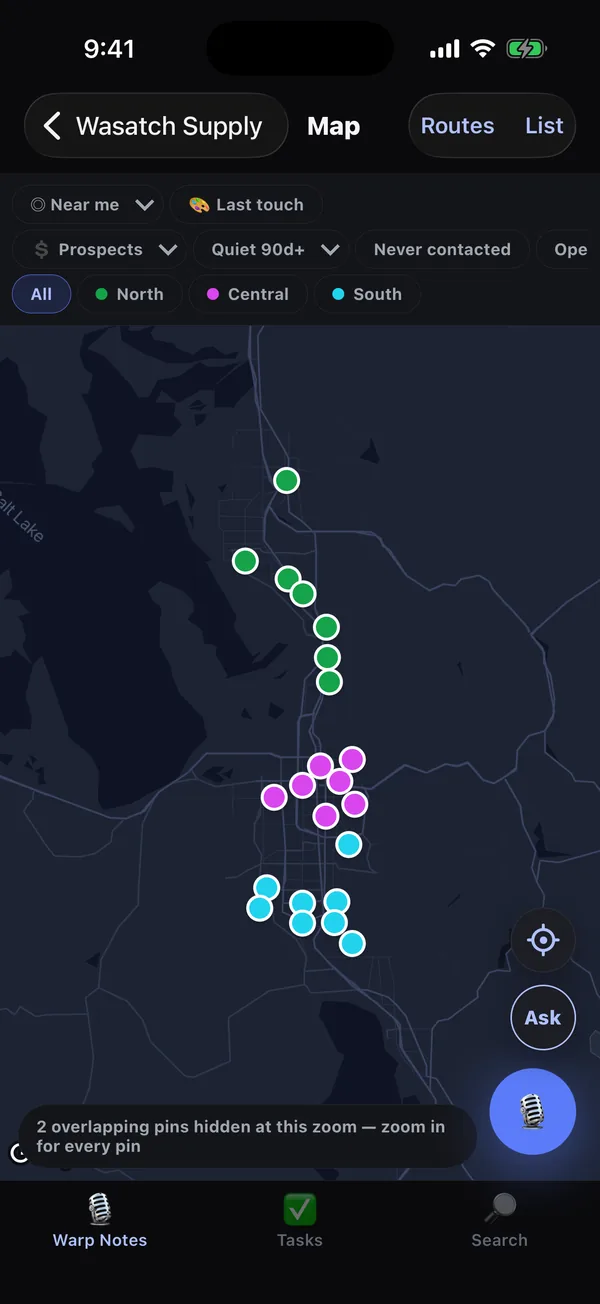
Talk for forty seconds after a call. Warp Notes files it to the right customer, writes the summary, pulls out the follow-ups, and puts them on your territory map and your calendar.
You just had a good call. You should log it. You won't — not in the truck, not at the next stop, and not at nine tonight. Multiply that by eight calls a day and your pipeline is fiction by Friday.
Walk out, tap once, say what happened. Hands-free, forty seconds, before you've pulled out of the lot.
To the right customer — it knows whose lot you're parked in. Title, summary and next steps written for you.
Commitments become reminders and real calendar events. The account moves on your map. Nothing waits on you typing it up.
Written for outside reps in wholesale distribution — people who drive a route, not a pipeline, and sell the same accounts year after year. It works for anyone who'd rather talk than type; that's just who we built it around first.
Not a slogan — design decisions, each one costing us something.
Every one of those is checkable. The security page names the AI vendor and every other processor, says where the data sits, and lists each use of your location one by one — written to be forwarded to whoever has to sign off.
Just tap the mic and say anything. Include details and even tell it how to spell names correctly, phone numbers addresses even multiple follow ups and it nails it every time!
One outside rep in wholesale distribution has run their territory on Warp Notes since August: a couple of thousand accounts, more than a hundred calls logged, and more of them every week than the week before. Not a trial that quietly stopped — they're recording more now than when they started. And the honest size of it: that is the whole customer list so far. The fourteen days are free if you'd rather find out than be told.
Same price for everyone, always. No founding tiers, no annual-only discounts you have to ask for.
One person, one phone. A rep with no patch to cover — or anyone whose day happens away from a desk: job sites, showings, visits, or just your own week.
No. You tap the mic, you talk, and it stops when you stop. Nothing is ever captured that you didn't start yourself.
Not to try it. Most reps run Warp Notes as the thing they actually fill in the field and keep whatever the office uses. You can import a CSV export from your existing system to start with your accounts already in place. Business workspaces can also send every note into HubSpot or Salesforce as it finishes, through Zapier or Make: here is the step-by-step guide.
Everything you've already got stays readable — companies, contacts, notes, the map, your routes. New notes record and queue, then send themselves when you're back in range. You can't edit offline, on purpose: two reps editing one account from two dead spots is how a shared book quietly corrupts itself.
Both, plus iPad. Hands-free Siri shortcuts are iPhone and iPad only, since Android has no Shortcuts app.
Settings → Manage, any time. It opens the billing portal and takes about ten seconds.
Talk for forty seconds. Let it file itself.